Custom Domain Name for tradesmen
Connect your own domain name to your TradeBolt website.
A custom domain helps you look more established and makes your business easier to remember. TradeBolt guides you through setup step-by-step.
Use your own domain name
Connect a domain you already own or purchase one and manage it through TradeBolt.
SSL included
Secure HTTPS for your website so customers trust your business.
Work with www and root
Set up your main domain and wildcard subdomains where needed.
Look more established with your own domain
A custom domain name helps customers remember you and trust your business. It also looks better on vans, business cards and quotes.
- Use a branded domain like yourbusiness.co.uk
- Keep your website address consistent everywhere
- Move from a TradeBolt domain to a custom domain when you’re ready
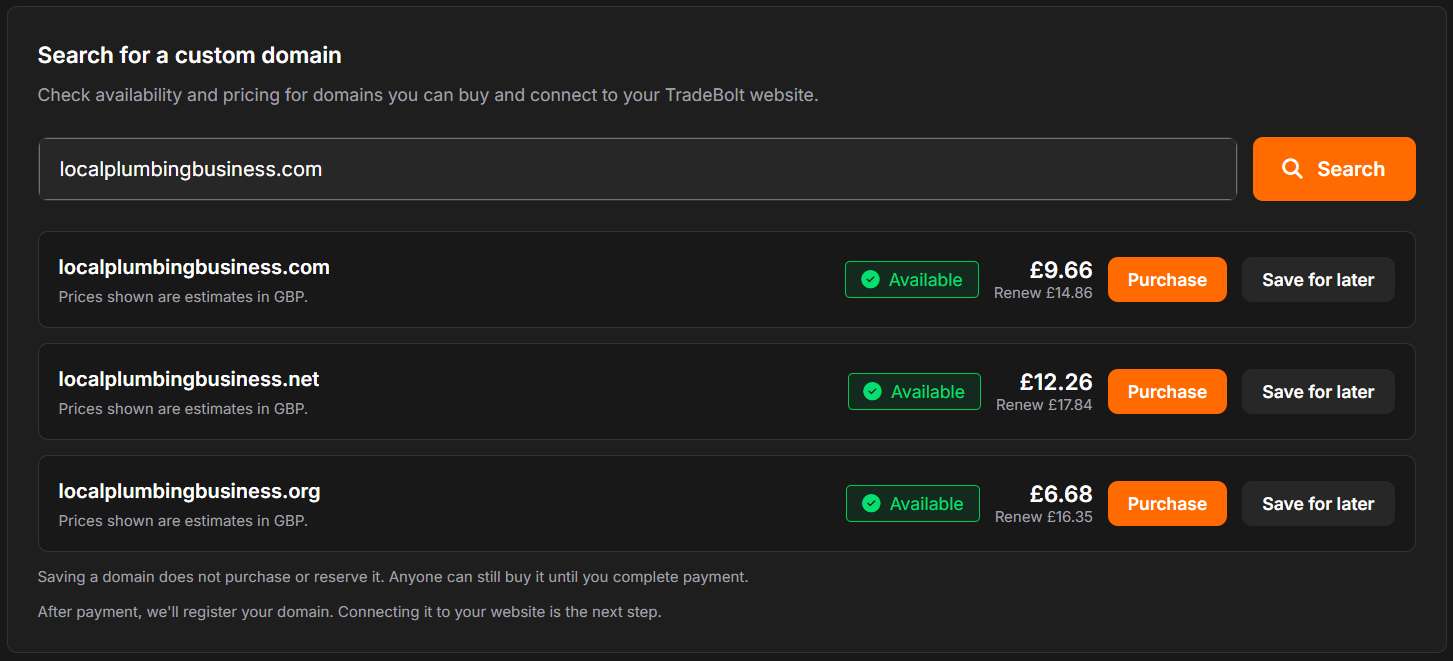
Guided setup, managed DNS
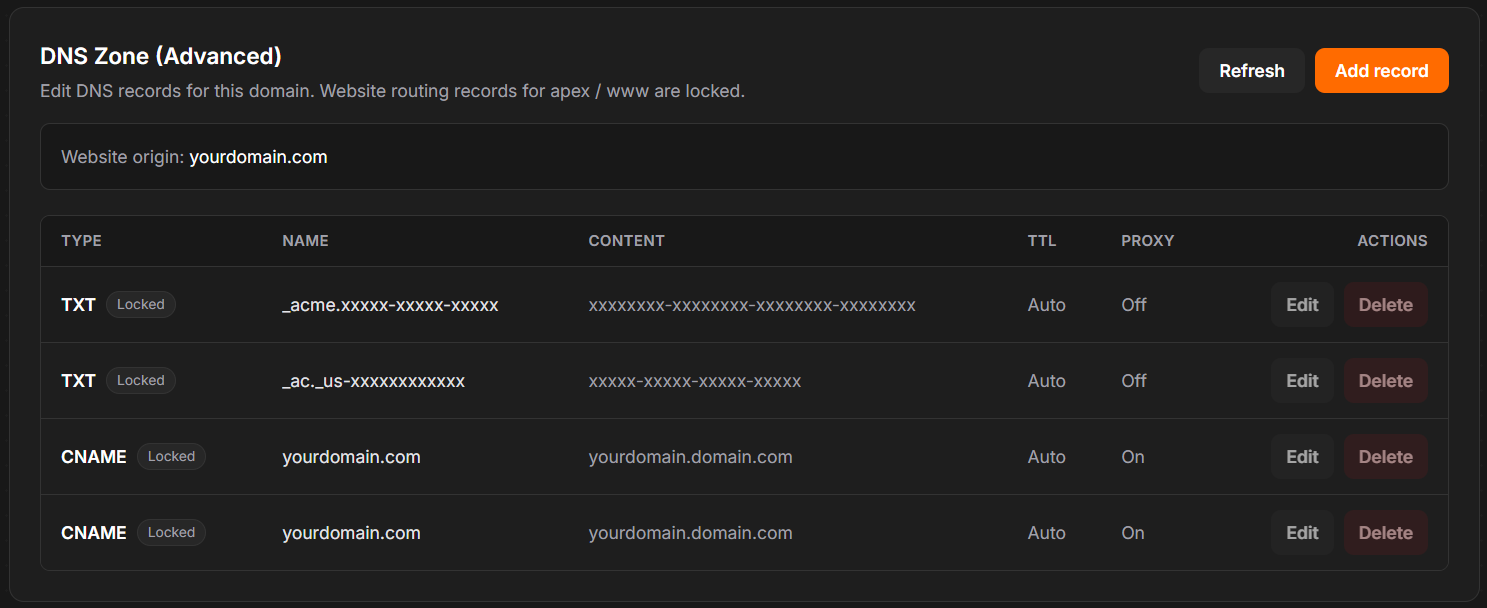
TradeBolt guides you through the connection flow and keeps your DNS organised. If you have existing email providers, we can keep key DNS records like MX and SPF.
- Step-by-step nameserver connection
- DNS records can be viewed and edited in TradeBolt
- Supports email-related records such as MX, SPF and DKIM
How it works
- 01
Start setup
Enter your domain name in the dashboard and start the connection.
- 02
Update nameservers
Change your domain’s nameservers to TradeBolt’s Cloudflare nameservers.
- 03
Verify and go live
Once connected, your website is available on your own domain.
Perfect for
- Businesses who want to look more established
- Tradesmen who already own a domain name
- Anyone who wants their brand on the URL
Frequently asked questions
Do I need to transfer my domain to TradeBolt?
No. You usually just update your nameservers at your registrar so TradeBolt can manage DNS for your website.
What about email on my domain?
If you already use email (for example, Microsoft 365 or Google Workspace), you’ll want to keep your MX/SPF/DKIM records. TradeBolt can support these records so email keeps working.
Will SSL / HTTPS be enabled?
Yes. Secure HTTPS is part of the setup so customers see a trusted, secure website.
Can I manage DNS records myself?
Yes. TradeBolt includes a DNS editor for advanced users, so you can view and change records when needed.
Ready to get started?
Create your account, launch your website, and manage everything from one dashboard.
No credit card required · Cancel anytime